
3CX licensing Essential
Admin simplified - say hello to
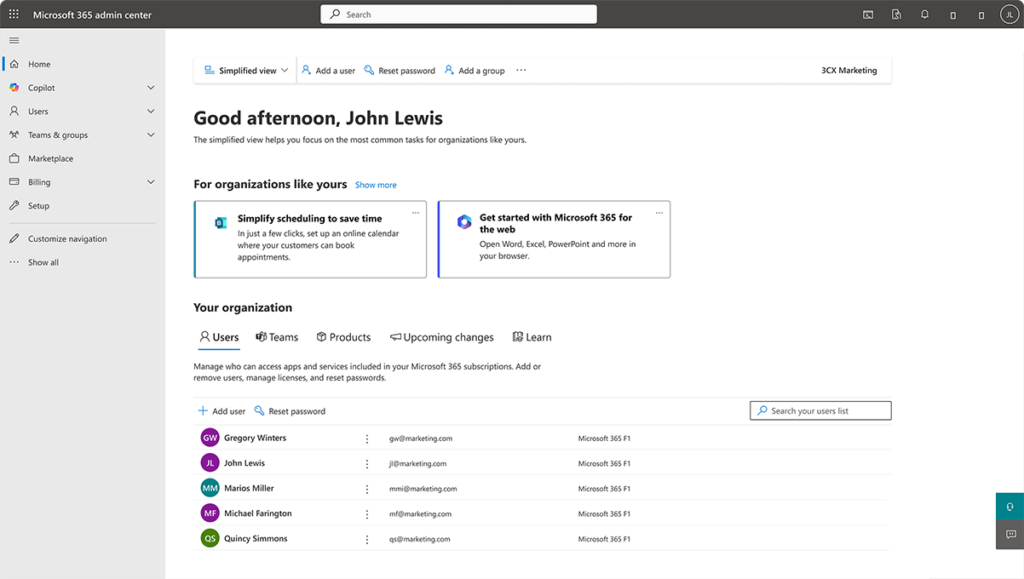
MS 365 user sync
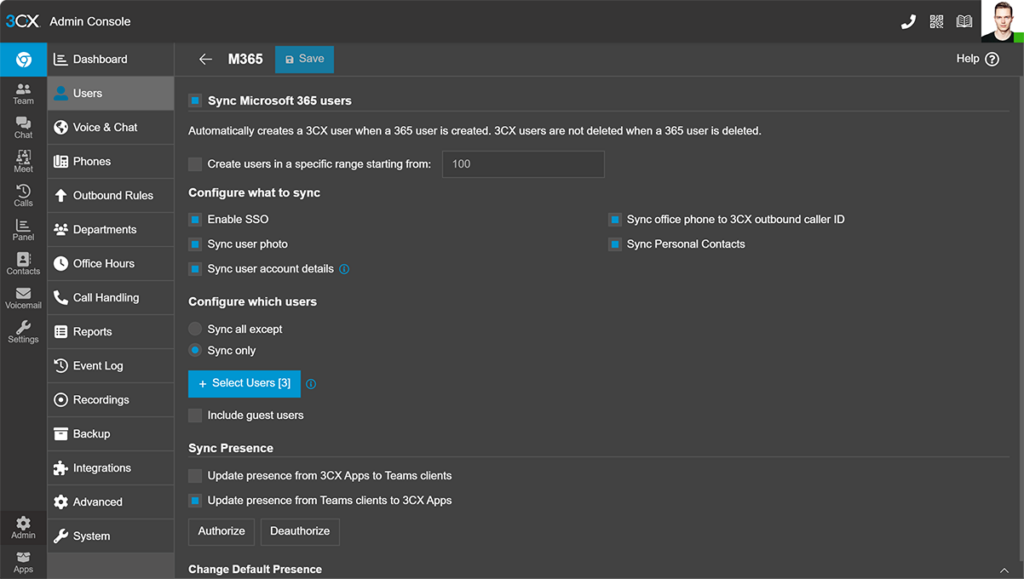
Auto create extensions by syncing MS 365 users with 3CX. Remove the need for manual entry - save time and reduce errors.
SSO sign on
No more forgotten passwords. Enable SSO to allow your users to login to 3CX with their Microsoft credentials.
Sync 3CX status
Auto sync 3CX status with M365 calendar entries. Status changes based upon "Show As" options like “DND” and revert as meetings end.
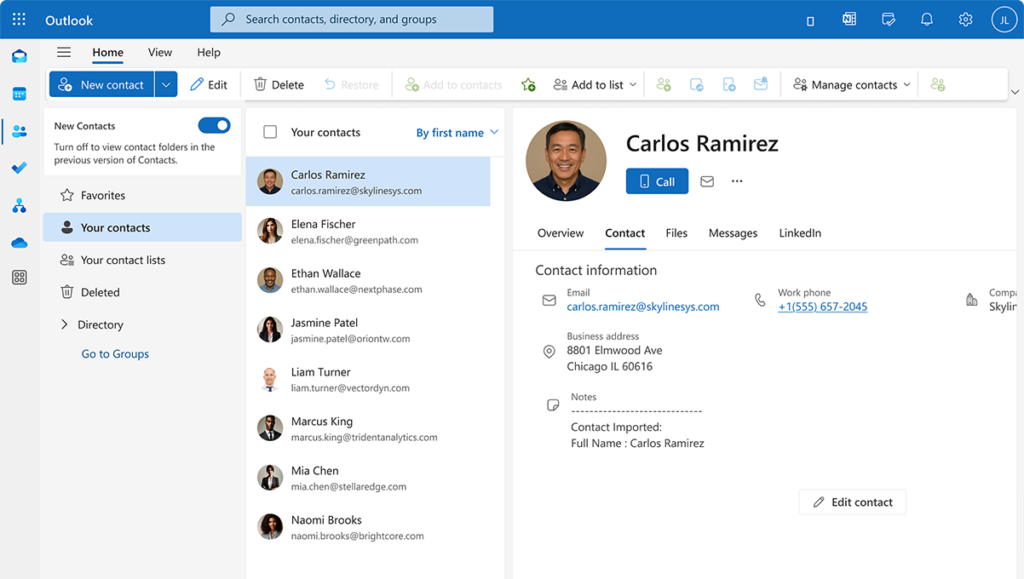
Contact sync
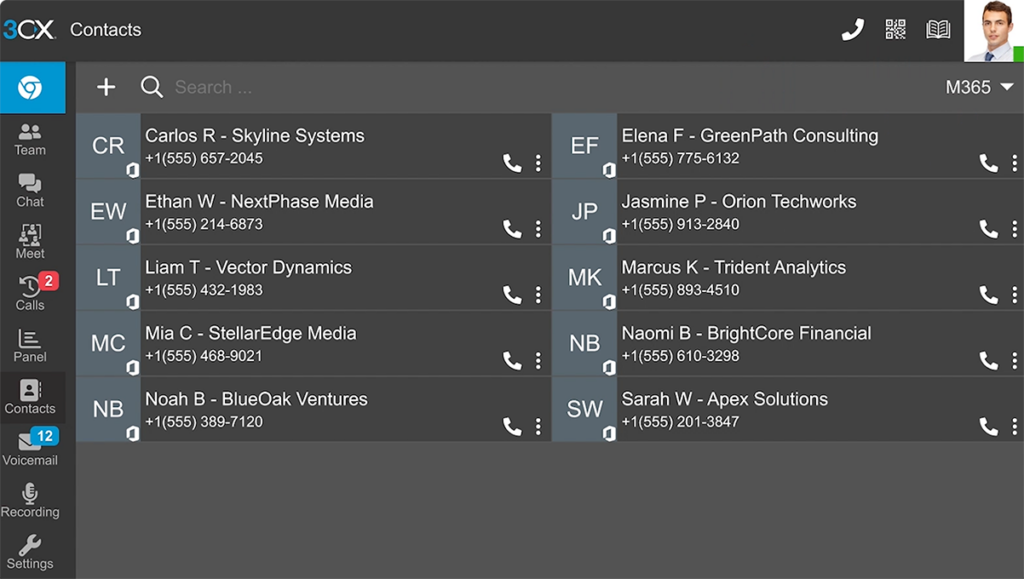
Sync contacts from M365 to 3CX phonebook. Manage and update in MS365 for central access and easy calling via 3CX apps.
Easy admin control with 3CX and Microsoft 365
3CX makes managing your phone system with Microsoft 365 simple. User accounts sync automatically, creating extensions without extra effort. Logging in with SSO is secure and easy with Microsoft credentials, reducing password issues and cutting down on helpdesk requests.
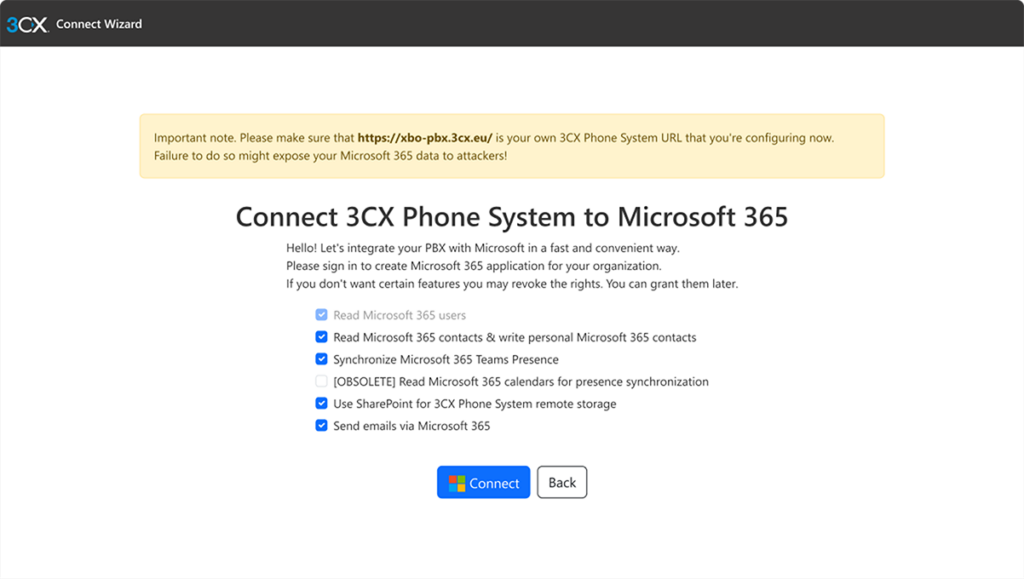
Call recordings and backups can be stored directly in SharePoint, keeping everything organized in one place and utilizing storage you’ve already paid for. With Teams Direct Routing, 3CX bridges the gap between Teams and your phone system, allowing users to call between platforms. This setup reduces daily admin tasks and ensures smooth low maintenance operation.
Use the email integration to send out email notifications using MS 365 and eliminate notifications potentially ending up in spam folders.
3CX licensing Essential
3CX licensing Essential
Let users work seamlessly
Allows users to stay connected within M365. Avoid missing important calls or messages by launching calls directly from M365 with the 3CX Windows Desktop App and Click2Call. Your users can work with synced contacts, calendar updates via 3CX apps.
Leverage storage already paid for!
Make use of storage you already have. Automatically store call recordings and backups in SharePoint, for a centralized, accessible and secure solution for essential data. See our SharePoint for Backups and Recordings guide for setup help.
Direct routing with Teams
Connect 3CX and Teams to streamline calls between platforms. Bridge Teams and 3CX users, cutting costs by limiting Teams licenses to key users while keeping most on 3CX. Note: 3CX-Teams Integration is not a Teams PBX replacement.
Frequently Asked Question
Your Microsoft 365 integration questions answered...
It’s easy! Install the 3CX 365 admin app and configure syncing preferences. For help, follow the guide here.
You need a SIP trunk to place calls to external numbers. You also need one to have a number on which your customers can call. To let you keep full control of your phone numbers and get best call rates, 3CX does not have built in numbers. But this freedom to choose means you’ll need an account with one of the supported SIP trunk providers.
Yes, you need a Microsoft Phone License. For details contact Microsoft or check their website.
Yes, you can! With the Teams Direct Routing Integration, Teams users can call 3CX users and vice versa. 3CX users can even have 3CX calls forwarded to their Teams account. See the Microsoft Teams integration guide for more details.
For easy calling you can have personal 365 contacts synced to the 3CX personal phonebook. You should note it’s a one-way synchronization so all contacts need to be managed and updated from Microsoft 365. You can also do the same for Microsoft 365 shared mailbox contacts and sync these to the 3CX Company phonebook – giving easy access to all. All contacts in the default folders: “Well Known Folders” are also synced. In practical terms you’re now able to call your 365 contacts directly from the 3CX Web or mobile apps.
Sync status automatically updates your 3CX user status based on “Show As” in your Microsoft 365 calendar entry. If you’re in a scheduled meeting, for example, your phone will not ring. At the end of the time allocated, 3CX switches your profile back to your previous status. If a 3CX profile is selected, changes from calendar information are ignored or overridden. You can also set this status manually.
Absolutely. 3CX allows a smooth migration from Avaya or Mitel, often with significant cost savings on maintenance and hardware.
Yes no problem! 3CX is user-friendly enough for your IT team to handle on their own. Host your 3CX on Amazon, Amazon Lightsail, Google and Digital Ocean. Deploy direct via their marketplaces. Or opt for 3CX Hosting and have us manage your system for you.
3CX doesn’t require you to sign a contract. You’re free to walk away at any time. Unlike most other enterprise phone systems, 3CX does not charge on a monthly user basis. Instead 3CX offers a low-cost, annual payment based upon concurrent calls. Keep control of your own trunks and numbers too. Chosen by 350,000 enterprises and counting…
Yes. 3CX supports Microsoft 365 Single Sign-On (SSO), allowing users to log in with their Microsoft credentials instead of a separate 3CX username and password. This simplifies user management and improves security by centralizing authentication through Microsoft Azure AD.
3CX License Pricing
Industries We Work With
-
Healthcare
-
Automotive
-
Education
-
Technology
Healthcare Case Study Bringing NHS Surgeries’ Communications Back from Critical Condition
3CX’s Call Recording & UC Features Meet Surgery Requirements. “The new system dispelled our previous hang ups about hosted telephony and new technologies. With our dedicated internet line we’ve had a consistent and reliable service. The call quality has been great.” Peter McIntyre, Practice Manager, NHS Read the case study.
A Case Study in the Automotive Industry - Buckle Up! Porsche Inter Auto Takes 3CX for a Spin
Thanks to advanced 3CX call center features, gearing up customer service was no issue. “3CX proved instrumental in helping take customer satisfaction to a higher level. We look forward to exploring new product features in upcoming 3CX updates.” Željko Hitrec, Communication Manager, Porsche Inter Auto.

A Case Study in Education: Douglas County School District Enjoys Increased Security and Significant Savings
3CX was chosen above Jive®* and Cisco®* as most cost effective: “This was one of the best decisions we made. The 3CX system is easy to configure and manage and runs on hardware we already owned. ROI will be less than three years.” John Endter, IT Director, Douglas County School District.

Our Case Study in Technology Showcases Benefits to Brazil’s Largest Data Center Provider
With company telephony costs reduced by 20% and increased employee mobility: “We gained high availability VoIP, easy system admin and advanced communications features. Our teams have quality communication capabilities to respond quickly to our customers.” Fábio Trimarco, IT Governance Manager, Ascenty.

More than 350,000 businesses globally trust 3CX to power their everyday communications