
3CX licensing Essential
Share the workload, enable anyone anywhere to answer
Strictly business
Separate your business WhatsApp messages from your personal messages so business communications are strictly business - in business hours.
Message templates
Forget repetitive typing. Use quick-response templates for chat, SMS, WhatsApp, website live chat and internally with colleagues. A major timesaver!
Never miss a message
Day off? Busy with other stuff? Say goodbye to missed messages. Let other team members help with answering customer WhatsApp messages.
Auto team assignment
Send WhatsApp messages to a queue of agents so the workload gets shared across the team. Allow chats to be assigned to the first agent that responds.
WhatsApp messages managed from 3CX
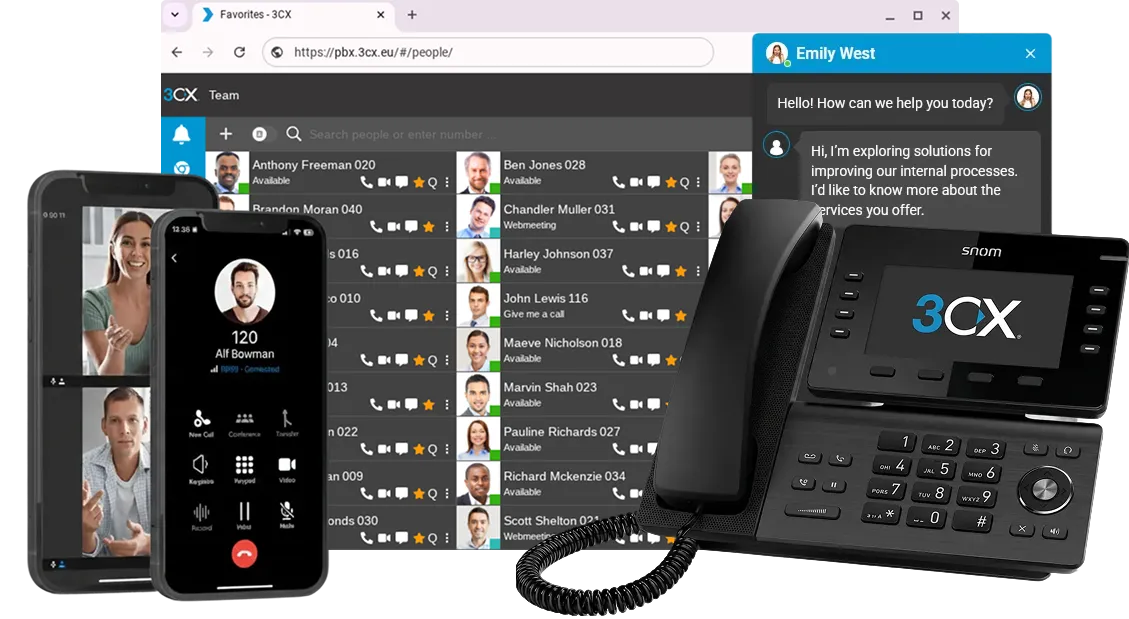
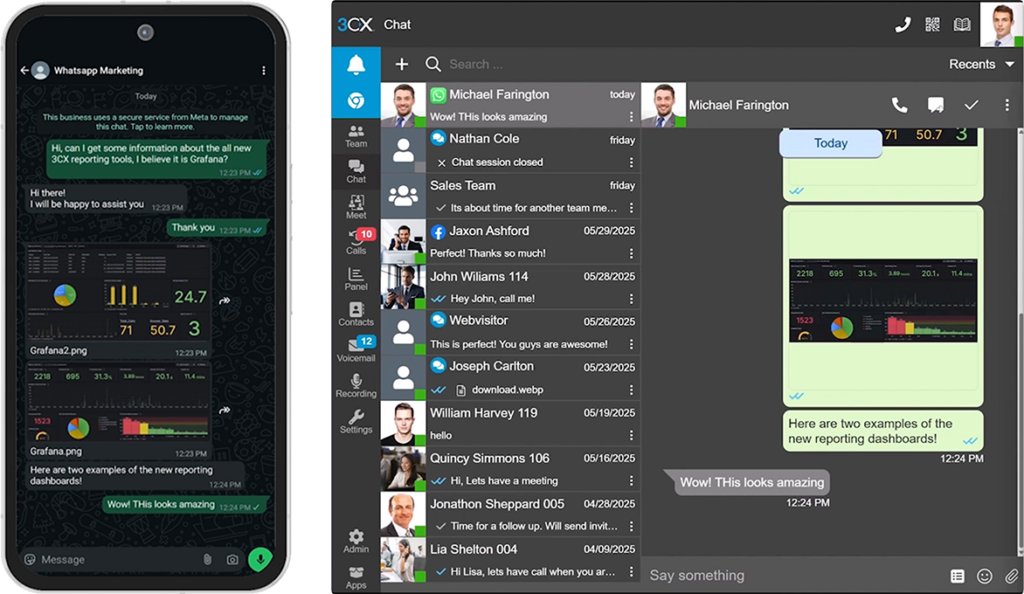
Add WhatsApp to your contact center solution. Offering your customers multiple contact methods can be a headache to keep on top of. Not so with 3CX! Take the pain away with one central system for Calls, Live Chat, WhatsApp, Facebook and SMS. With 3CX, you can deliver WhatsApp business messages immediately to the Web Client, Desktop App and smartphone apps.
Whether your team is working in the office or remotely, agents can answer, transfer, and resolve customer queries from one platform. Give clients more ways to reach you and let agents respond to WhatsApp leads right within the 3CX platform. Need help from another team member? No problem! Transfer chats easily to colleagues or groups, improving response times and team collaboration.
3CX licensing Essential
3CX licensing Essential
Use a dedicated number
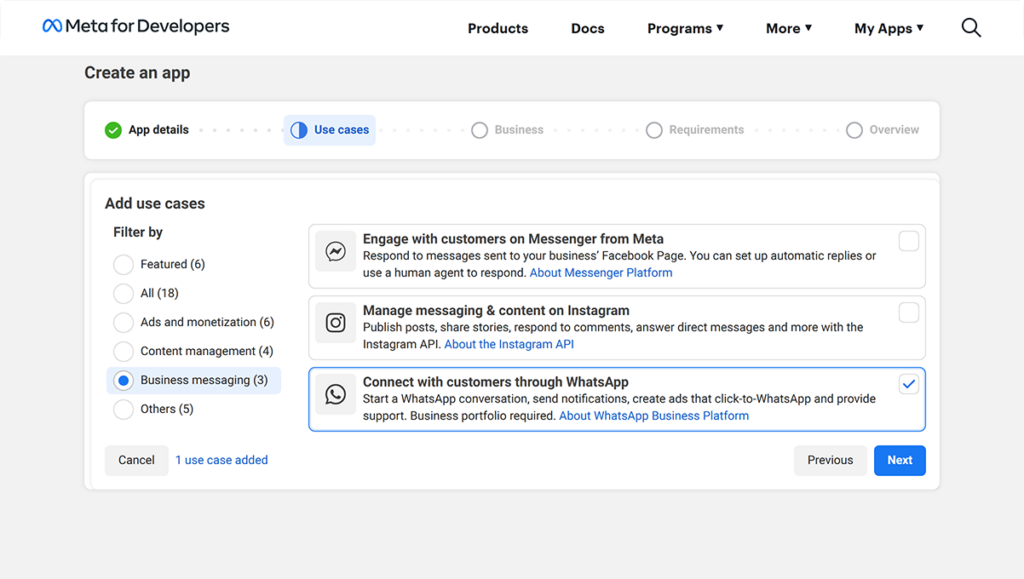
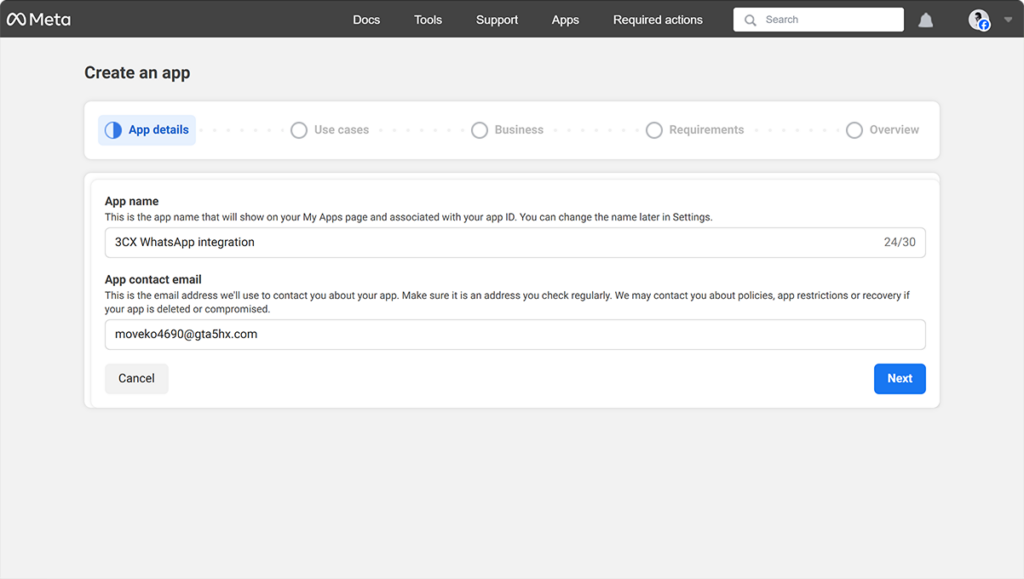
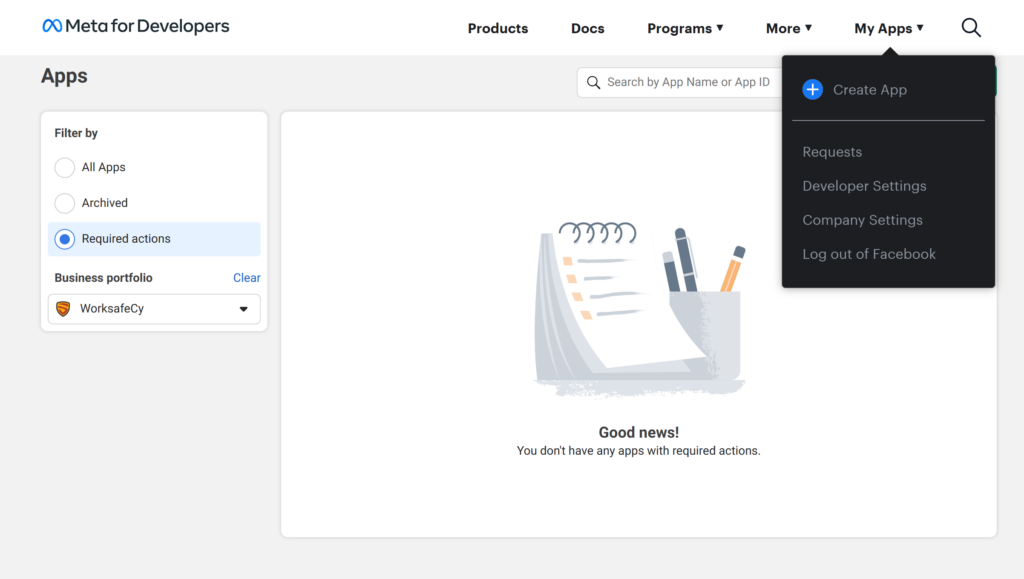
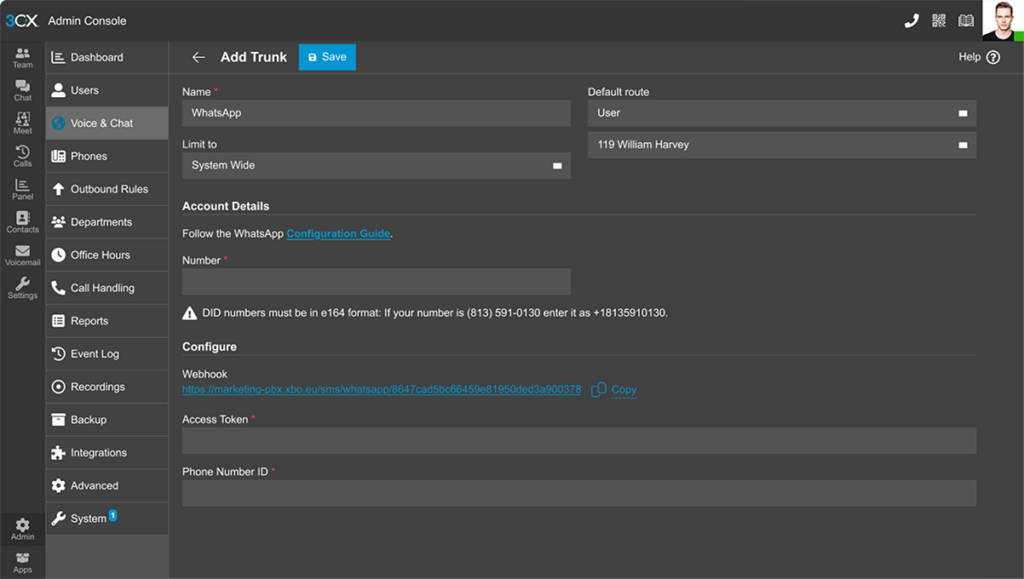
Set up a WhatsApp Business Platform account with a separate number, not your personal one. This setup allows inbound messaging only - no outbound. Follow each step carefully on WhatsApp and configure your account in 3CX for smooth integration.
Let customers choose
Not everyone uses WhatsApp, so get a phone number for standard calls. Choose a provider like Voxtelesys, Callcentric, or Telxi for the best rates and no lock-ins. Connect it to 3CX and ensure every customer can reach you.
Add SMS for flexibility
Expand customer contact options with SMS support in 3CX. Send and receive texts using a regular phone number. SMS setup is quicker than WhatsApp and provides similar functionality, giving customers more ways to connect.
Frequently Asked Question
Your WhatsApp integration questions answered...
To get started you’ll need to have a WhatsApp business platform account setup with a dedicated number. It’s not possible to re-use your personal number. You’ll also need to follow the WhatsApp configuration guide carefully. Please remember that the setup process is controlled entirely by WhatsApp, so it may take some time. 3CX provides the tools to manage messages once your setup is complete.
3CX SMB FREE for up to 10 users, is free to give you a chance to experience 3CX. We’re confident you’ll see the benefits in your phone communications and make the switch to 3CX soon. You can sign up here for your account. Next, select a SIP Trunk provider. This is where you’ll buy your phone number and from where you’ll manage your phone expenses.
Yes, you can centralize communication across WhatsApp, SMS, Facebook Messenger, and live chat – by installing the 3CX WordPress plugin for quick website integration. This allows your team to manage all messages from one platform without switching apps.
If you already have an existing phone number you want to reuse, you can port it to your new VoIP provider. It’s a process the VoIP provider will handle for you, although it can take several weeks.
No, at present this is not possible. Outbound messaging is strictly controlled by Meta, the WhatsApp parent company. Each outbound message has to be approved to avoid spam. So with 3CX you can handle inbound WhatsApp messages only at this point.
WhatsApp messages are sent to a queue where the workload is shared among team members. Agents can either pick up the conversation or allow it to be assigned to the first person who responds.
Absolutely. 3CX supports quick-response templates for SMS, WhatsApp, live chat, and internal messages, so you don’t have to type the same responses repeatedly.
Yes, with 3CX apps for iOS, Android, and Windows, your team can manage WhatsApp messages, calls, live chat, and texts from anywhere.
Your WhatsApp setup is handled by WhatsApp. 3CX provides tools to manage messages. This means setup follows WhatsApp’s process. 3CX cannot influence the time this takes.
3CX License
Industries We Work With
-
Healthcare
-
Automotive
-
Education
-
Technology
Healthcare Case Study Bringing NHS Surgeries’ Communications Back from Critical Condition
3CX’s Call Recording & UC Features Meet Surgery Requirements. “The new system dispelled our previous hang ups about hosted telephony and new technologies. With our dedicated internet line we’ve had a consistent and reliable service. The call quality has been great.” Peter McIntyre, Practice Manager, NHS Read the case study.
A Case Study in the Automotive Industry - Buckle Up! Porsche Inter Auto Takes 3CX for a Spin
Thanks to advanced 3CX call center features, gearing up customer service was no issue. “3CX proved instrumental in helping take customer satisfaction to a higher level. We look forward to exploring new product features in upcoming 3CX updates.” Željko Hitrec, Communication Manager, Porsche Inter Auto.

A Case Study in Education: Douglas County School District Enjoys Increased Security and Significant Savings
3CX was chosen above Jive®* and Cisco®* as most cost effective: “This was one of the best decisions we made. The 3CX system is easy to configure and manage and runs on hardware we already owned. ROI will be less than three years.” John Endter, IT Director, Douglas County School District.

Our Case Study in Technology Showcases Benefits to Brazil’s Largest Data Center Provider
With company telephony costs reduced by 20% and increased employee mobility: “We gained high availability VoIP, easy system admin and advanced communications features. Our teams have quality communication capabilities to respond quickly to our customers.” Fábio Trimarco, IT Governance Manager, Ascenty.

More than 350,000 businesses globally trust 3CX to power their everyday communications